Your voice. The right tone.
Set the wording you prefer, then choose how direct, warm or firm to be in the moment. ToneBird keeps your intended answer at the center of the draft.
Download ToneBird AlexExample
Happy to discuss the pricing page separately. For Friday, let’s keep delivery to the pages we agreed on.
Change the tone. Keep the answer.
An extra page is outside Friday’s delivery. These replies vary the warmth and firmness while keeping that limit. Choose the one you would actually send.
Direct
Friday’s delivery covers the agreed pages. We can discuss the pricing page separately.
Warm
Thanks for the idea, Alex. Let’s deliver the agreed pages on Friday and discuss the pricing page separately.
Firm
The pricing page is outside the agreed scope. Friday’s delivery will cover the original pages.
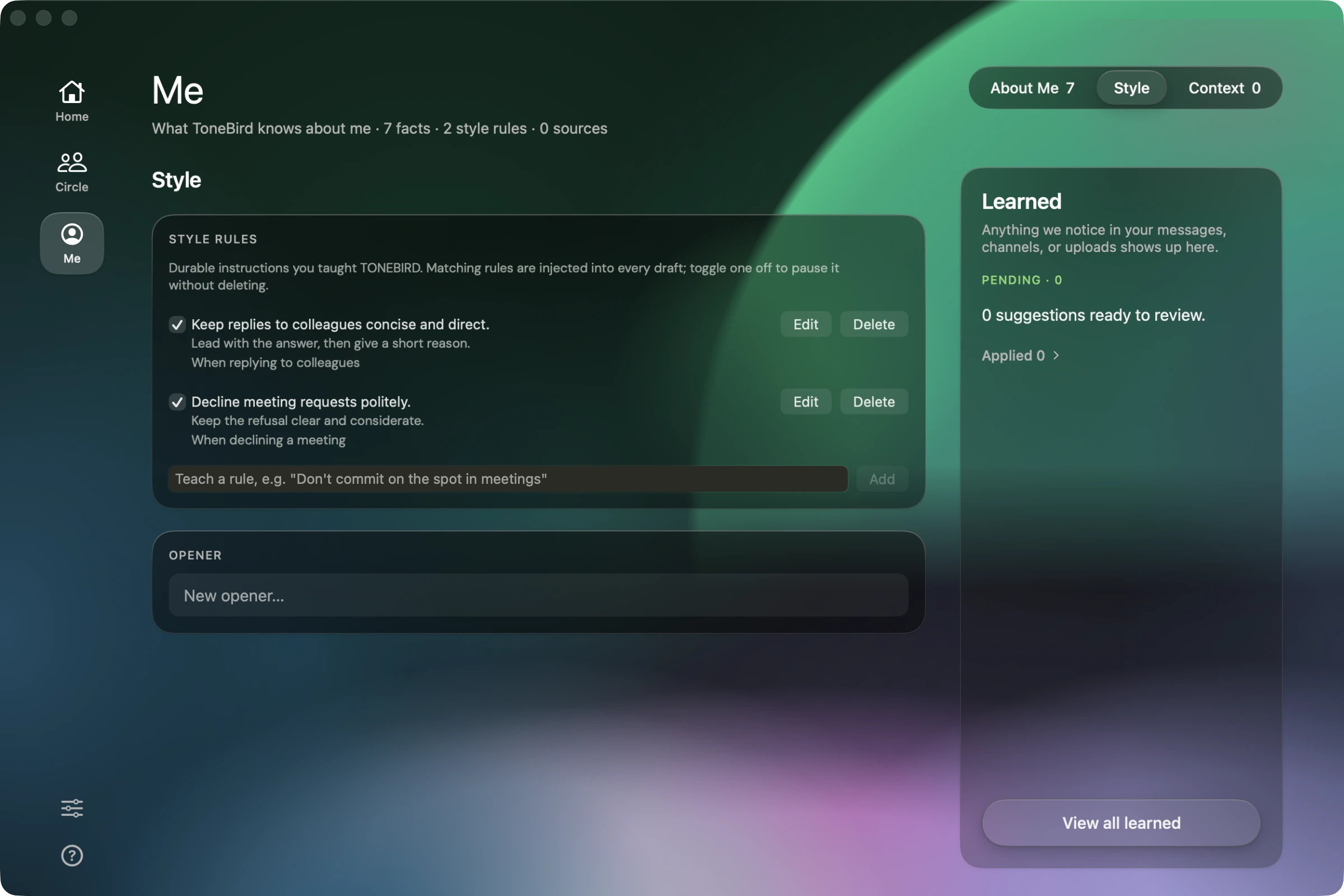
Teach the wording you want to reuse.
In Me, open Style to add or edit wording rules and preferred openers. Review suggested changes in Learned before applying them. You can pause an existing rule without deleting it, then choose the wording that fits this conversation.
From context to a reply you can send.
- Message
State the answer you want to keep.
Open the client’s request and state that Friday covers the agreed pages. Your saved preferences in Me guide the wording; your instruction keeps the scope explicit.
Happy to discuss the pricing page separately. For Friday, let’s keep delivery to the pages we agreed on.
Choose and adjust a draft.
Click the ToneBird bubble in a supported reply field. Compare direct, warm and firm replies. Use Tweak to adjust an opener or phrase while keeping the extra page outside Friday’s delivery.
Happy to discuss the pricing page separately. For Friday, let’s keep delivery to the pages we agreed on.
Insert, review, send.
Insert the chosen reply and read it as the client would. Check that friendly wording has not become an agreement to do extra work, then send from your app.
Before you reply.
Will a learned preference change replies automatically?
Learned adjustments wait for your approval. Review and apply a change before it influences future drafts. A tone preference should change wording, not invent facts or override the answer you intend to give.
Where is my context stored and processed?
Person cards and writing preferences are stored on your device. Generating a reply can send needed context to an AI provider. Review the privacy and data controls before connecting a channel.
Privacy & Data
Try it in your next conversation.
Free to start.